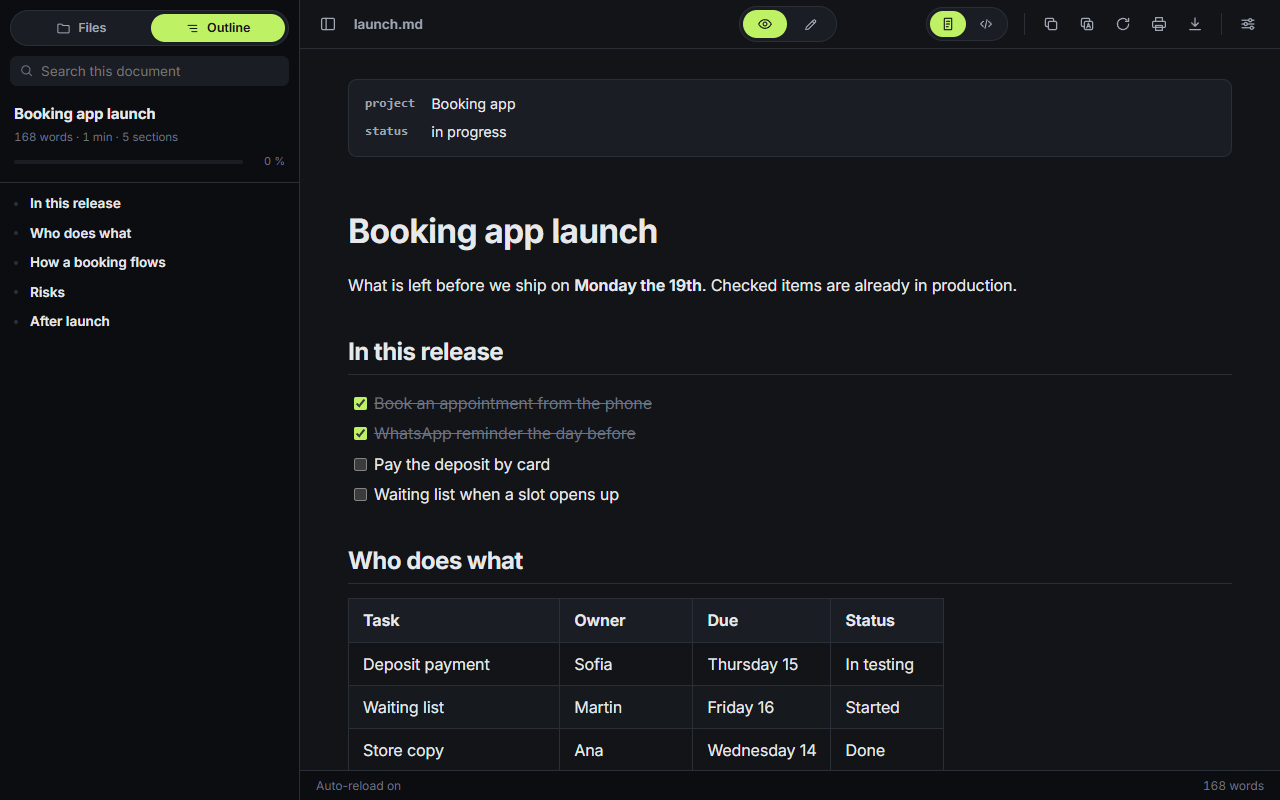
Edit the document you are reading.Editás el documento que estás leyendo.
Click a paragraph, a heading, a list item or a table cell and type. The Markdown is rewritten behind it, block by block.Hacés clic en un párrafo, un título, un ítem o una celda y escribís. El Markdown se reescribe por detrás, bloque por bloque.
Type **bold** or `code` and the marks turn into formatting. Start a line with #, - or > and it becomes a heading, a list or a quote.Escribís **negrita** o `código` y los signos se vuelven formato. Si la línea empieza con #, - o >, pasa a ser título, lista o cita.
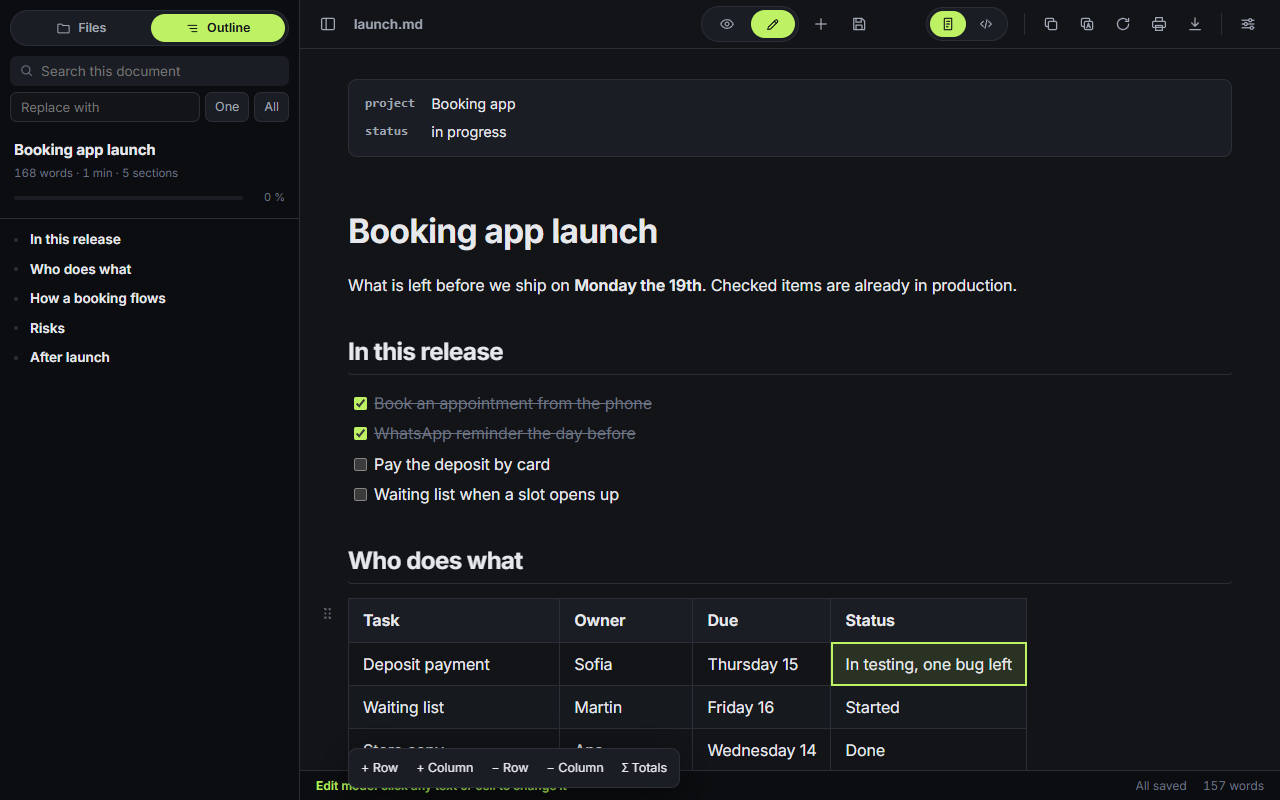
Right-click a block.Clic derecho sobre un bloque.
Insert a table, a code block, a diagram, a formula or a callout below it. Turn it into a heading, move it, duplicate it or delete it.Insertás debajo una tabla, un bloque de código, un diagrama, una fórmula o un aviso. Lo convertís en título, lo movés, lo duplicás o lo eliminás.
Ctrl Z undoes it and Ctrl Y brings it back.Ctrl Z lo deshace y Ctrl Y lo rehace.
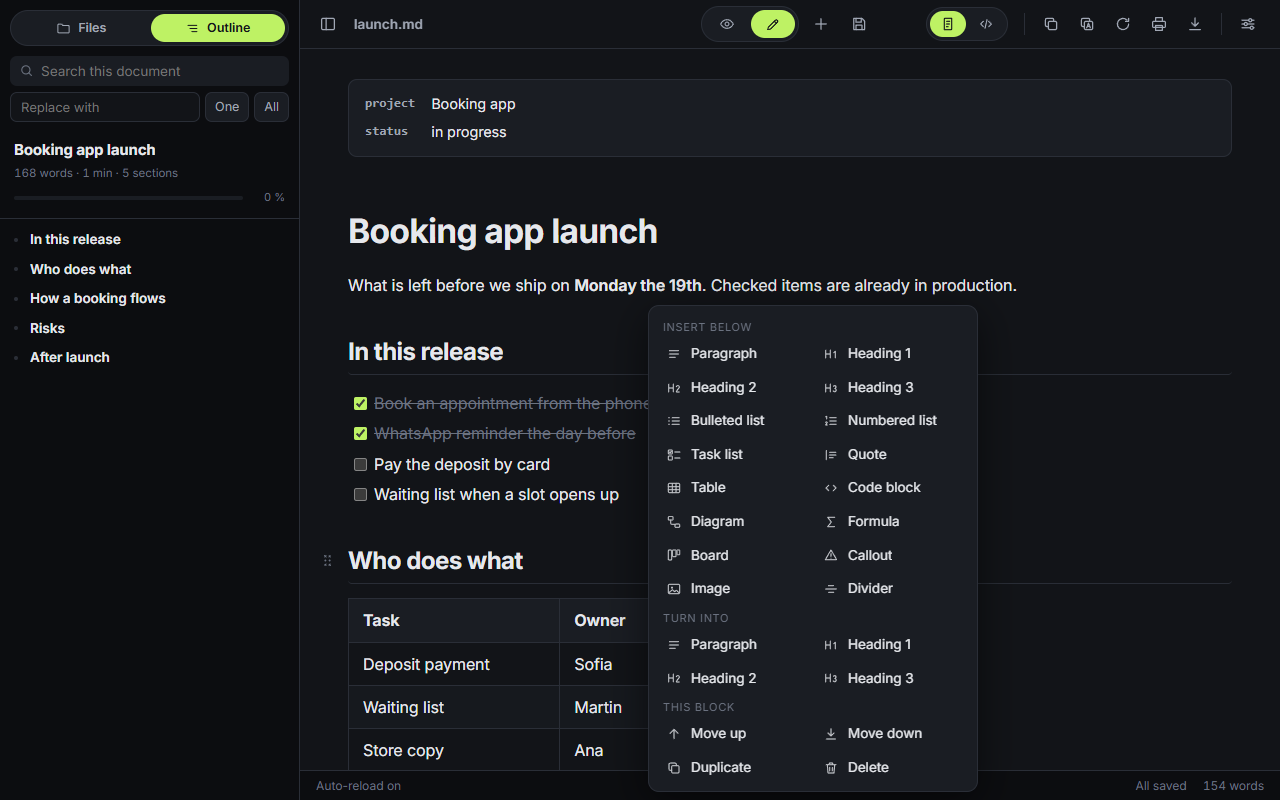
Diagrams with the drawing next to the code.Diagramas con el dibujo al lado del código.
Click a Mermaid or Graphviz diagram and it opens with a live preview. Nine templates to start from. A syntax error shows under the last drawing that worked.Hacés clic en un diagrama Mermaid o Graphviz y se abre con la vista previa en vivo. Hay nueve plantillas para arrancar. Un error de sintaxis aparece debajo del último dibujo que salió bien.
The whole folder, searchable.La carpeta entera, con búsqueda.
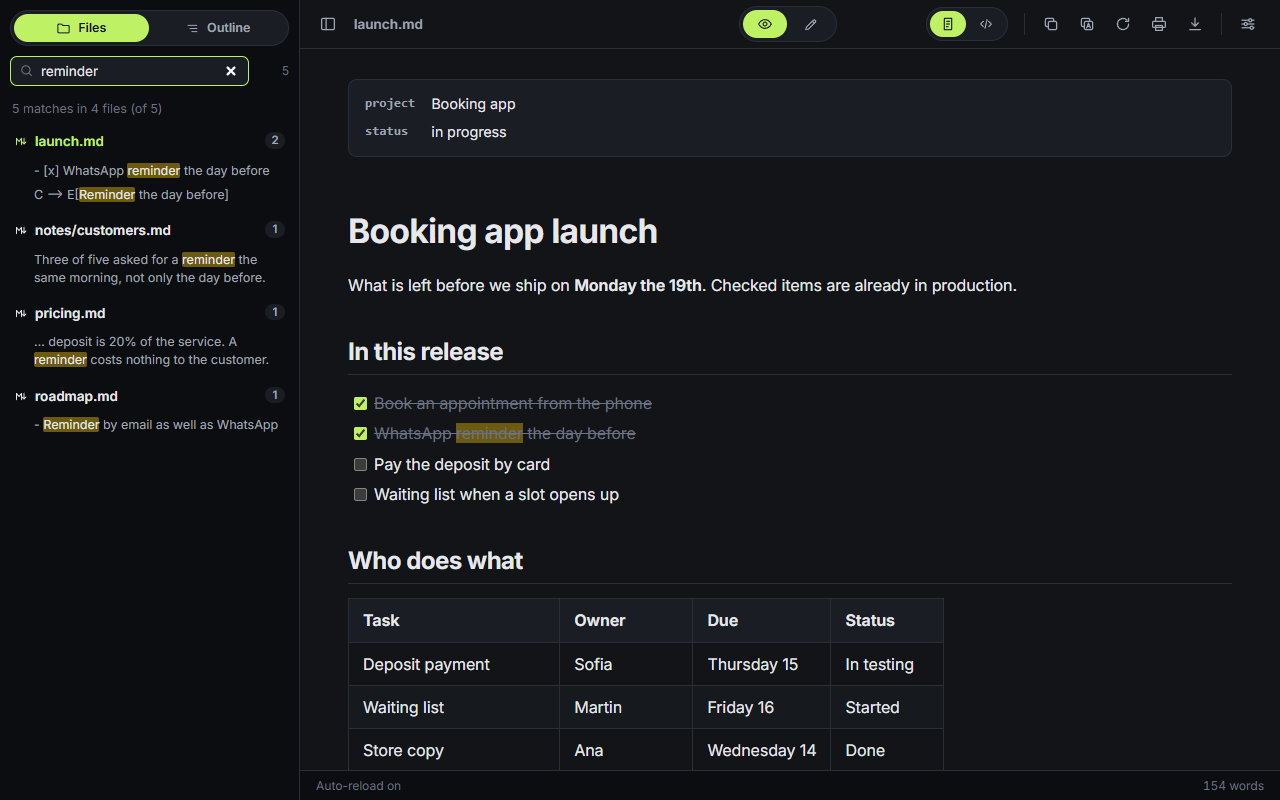
The sidebar lists the files next to the one you opened and searches the text of all of them at once. Create, rename and delete files from there.La barra lateral muestra los archivos que están al lado del que abriste y busca en el texto de todos a la vez. Desde ahí creás, renombrás y eliminás archivos.
[[name]] links open the file with that name.Los links [[nombre]] abren el archivo con ese nombre.
Also in thereTambién trae
assets/ next to the document.Se guardan en assets/, al lado del documento.: and pick from the list.Escribís : y elegís de la lista.Cloud notes, sharing and a connection for your AINotas en la nube, compartir y una conexión para tu IASoonPronto
Nothing goes to the cloud until you send it. Files on your disk and notes in the browser stay where they are.Nada va a la nube hasta que lo mandás. Los archivos de tu disco y las notas del navegador se quedan donde están.
The same notes on every deviceLas mismas notas en cada dispositivo
Sign in with a six-digit code sent to your email. One click sends a note to the cloud, and it saves itself from then on.Entrás con un código de seis dígitos que llega a tu correo. Con un clic mandás una nota a la nube, y desde ahí se guarda sola.
Share a note or a folderCompartí una nota o una carpeta
With another account, to read or to edit. You see who else has it open, and edits to different parts are merged. Or make a read-only public link with a password.Con otra cuenta, para ver o para editar. Ves quién más la tiene abierta, y lo que cada uno cambia en partes distintas se junta. O armás un enlace público de solo lectura con contraseña.
Let your AI read and write themQue tu IA las lea y las escriba
An MCP endpoint with five tools: list, read, write, append and search. Works with Claude and any other MCP client, with a token you create.Un servidor MCP con cinco herramientas: listar, leer, escribir, agregar y buscar. Funciona con Claude y con cualquier otro cliente MCP, con un token que creás vos.
$ claude mcp add --transport http sharpmd https://sync.sharpmd.app/mcp \
    --header "Authorization: Bearer mdt_..."
PlansPlanes
FreeGratis
USD 0
- The whole editorTodo el editor
- Files and browser notes, no limitArchivos y notas del navegador, sin límite
- 10 notes in the cloud10 notas en la nube
PaidPago
USD 3.99 a monthpor mes
or USD 39 a year. Payments open soon.o USD 39 por año. Los pagos abren pronto.
- Unlimited notes in the cloudNotas en la nube sin límite
- Sharing and public linksCompartir y enlaces públicos
- The MCP connection for your AILa conexión MCP para tu IA
- 30 days of version historyHistorial de versiones de 30 días
- Colors, fonts and your own CSSColores, tipografías y tu propio CSS
Three pieces, all open sourceTres piezas, todas de código abierto
The web appLa app web
Nothing to install. Chrome, Edge and Brave open folders and save in place. Firefox and Safari open one file at a time and saving downloads a copy.Nada que instalar. Chrome, Edge y Brave abren carpetas y guardan en el lugar. Firefox y Safari abren de a un archivo y al guardar descargan una copia.
Open the appAbrir la appThe extensionLa extensión
Works without a connection. Set Chrome as the default app for .md files and a double-click opens them rendered. It also renders Markdown served by a website.Funciona sin conexión. Ponés Chrome como programa por defecto para los .md y con doble clic se abren ya formateados. También formatea el Markdown que sirve un sitio web.
The sync serverEl servidor de sincronización
What cloud notes and the AI connection run on: one Node file with SQLite, under AGPL. Run your own and point the app at it in Settings.Sobre esto corren las notas en la nube y la conexión con la IA: un archivo de Node con SQLite, con licencia AGPL. Levantás el tuyo y lo cargás en Ajustes.
Server sourceCódigo del servidorThe web app and the extension each keep their own browser notes. Cloud notes are the same in both.La app web y la extensión guardan cada una sus notas del navegador. Las notas de la nube son las mismas en las dos.
Your files are read in your browser.Tus archivos se leen en tu navegador.
No analytics. A note reaches the sync server only when you send it to the cloud. Privacy has the detail, and the code is on GitHub: the app under MIT, the server under AGPL.Sin analítica. Una nota llega al servidor solo cuando la mandás a la nube. El detalle está en Privacidad, y el código en GitHub: la app con licencia MIT, el servidor con AGPL.